Posts

Showing posts with the label News

Blogger enabled Threaded Commenting for us!

Image
You may have seen this in WordPress blogs, now Blogger also has this too, it’s threaded commenting . Blogger has introduced a new improved commenting system for us. So what’s that actually? Well, now it’s possible to reply on an existing comment to start a conversation. It will be displayed as threaded (or nested). See an image example below: Image from Blogger Buzz

Blogger Dynamic View Templates Pros and Cons

Image
Blogger finally rolled out templates with Dynamic views. It is built with all the latest technologies like HTML5, CSS3 and AJAX. Blogger adds that “ Dynamic Views is a unique browsing experience that will inspire your readers to explore your blog in new ways ”. To find out, you can setup a test blog (it’s better to test things out before applying it for your main blog) and apply the new dynamic templates from Blogger’s Dashboard > Template tab. You will find that there are 7 templates to choose from, namely, Classic, Flipcard, Magazine, Mosaic, Sidebar, Snapshot and Timeslide.

Blogger’s Dashboard, New UI!

Image
Most of you must have heard or is using Blogger’s new updated user interface on draft.blogger.com. Well, for those who love the new UI can now enable it from Blogger.com. You will find the option on top right corner as “Try the updated Blogger interface” on your Blogger’s dashboard. Here are some images of new UI, extracted from Blogger Buzz, for those who are new or didn’t use it previously.

Add Custom Favicon to Blogger - Official

Image
I was hoping that Blogger will enable us to add our own favicon, also known as favorite icon or shortcut icon. Well, it has already been enabled for us to add custom favicon to Blogger powered blogs. My assumption was correct because while writing the post about adding +1 (plus one) button to Blogger , the image that was provided by Blogger Buzz was telling that something new is going to happen. For example see the image below:

Blogger’s new Dynamic Templates

Image
Previously I have told about what will be Blogger in future . While looking at the screen shots I was really amazed. But today while I logged in to blogger, a popup opened informing about the new dynamic templates by introduced by blogger. I didn’t waste any time to visit Blogger Buzz to see what’s all this about. And finally it was all clear.

Email Subscription Widget for Blogger - Official

Image
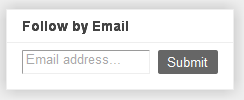
Blogger Buzz introduced the new " Follow by Email gadget ". It's an email subscription box widget which let your readers to subscribe to your blog posts by email. This widget works in conjunction with Google FeedBurner . Whenever you write a post and publish it, your readers, who have subscribed to your blog by email, will be able to get the updates to their inbox. Let's have a preview of the new gadget.

Glimpse of Blogger in Future 2011

Image
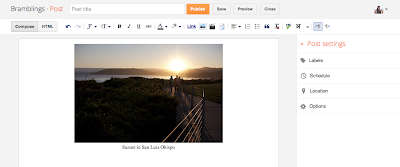
Previously I have told what Blogger is on 2011 but blogger buzz now tell us what will be blogger in future . So let's have a look at upcoming changes. New Post Editor

Blogger as on March 2011

Image
Blogger is evolving day by day and bringing many improvements to us, blogspot users , making it easy to use some advance settings. For example, some of the previous updates are popular posts widget , stats widget and spam filtering for blogger comments , enabling read more and many more. Within this month, blogger has added some more to it. Let’s see what those are:

Popular Posts Widget for Blogger - Official

Image
Blogger introduced the new Popular Posts Widget . Everybody must have heard of Blogger stats. This Popular Posts widget collects the data from these stats from your blog posts which have been mostly viewed by your readers and transforms it into popular posts. To add this widget, go to Design > Page elements tab and click “ Add a Gadget ”.

Blogger's New Spam Detection for Comments

Image
Blogger is advancing day by day by enabling some cool new features that most of us do want to have for our blogs. Today after login in to Blogger’s dashboard I have found out that Blogger enabled automatic spam detection for the comments but astonishingly they didn’t enabled it to all of the blogs.

New Features by Blogger In Draft

Image
Blogger is advancing day by day and now there are many new features that are now available to Blogger in Draft . Adding captions to Images in Blogger Now you can add captions to your images without any extra codes and scripts. Just click on the image that you have uploaded, and click “Add caption” . And write your caption just below your image. Simple Blogger Tutorials

Static Pages are Now Available in Blogger

Image
Static pages are now finally made available in Blogger. Now you can create a static ' About ' page or ' Contact Me ' page for your blogs. So it became easy to hide your "Contact Me" page and other pages from appearing in blog's homepage. It is simple to add static pages and create a page similar to how you write a blog post. But the limitation is upto 10 posts. How to add static pages to Blogger

How to add Read More option - Officially from Blogger

Image
If you are looking for a hack to add Read more to Blogger to hide full posts, then stop searching because Blogger has now officially announced this option for us which is also known as Jump Break . Now you don't have to add any separate hack in your template. What you have to do is enable some options in your Blogger settings and you are ready to use this feature. Thinking what are the options you have to enable! Well, let us find out. While posting a new post, write a paragraph, use the "jump break" option and continue writing again. This is the option which will add the read more link to your posts on your homepage.