Posts

Showing posts with the label FeedBurner

Email Subscription Widget for Blogger - Official
Image
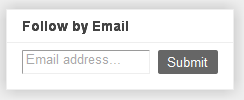
Blogger Buzz introduced the new " Follow by Email gadget ". It's an email subscription box widget which let your readers to subscribe to your blog posts by email. This widget works in conjunction with Google FeedBurner . Whenever you write a post and publish it, your readers, who have subscribed to your blog by email, will be able to get the updates to their inbox. Let's have a preview of the new gadget.

How to Configure and Setup FeedBurner for Blogger

Image
Google FeedBurner is one of the top most web feed management provider which is commonly used by all bloggers to manage their blog feeds. Blogger powered blogs has this setting too but first you need to configure and set it up properly. So today I will guide you through this. Adding and Claiming Your Blog’s Feed Step 1: Log in to FeedBurner and write your blog’s feed address in “Burn a feed right this instant”. This is where claiming process starts. Your feed address will be: http:// example .blogspot.com/feeds/posts/default If you are a podcaster then check the podcaster box and click “Next”.

How to Add Email Subscription Box to Blogger

Image
Email subscription box let your blog readers to get latest post updates directly to their mailbox. This simple tutorial will tell you how to add it to Blogger. Step 1: So first, you need to set up Blogger feeds with Google FeedBurner. If you already added your blog feeds then move on to step 2.

How to Add Subscribe Button to Blogger

Image
The RSS subscribe button let your visitors to subscribe and easily add your blog to their favorite RSS services. When visitors like your content and want to read your blog thorough RSS news readers then they will click on the feed button on your blog. So to add a subscribe button to Blogger, you need to find a big, beautiful RSS icon. Download it and upload it to your image hosting service (Google Picasa is a good option) and get the URL. Now go to Layout tab and add a "HTML/JavaScript" gadget. Add the following code into it and save it. You can also write something into the gadget to tell your readers to subscribe. <a href="http:// example .blogspot.com/ Feed-Address " title="Subscribe to RSS"><img alt="Subscribe to RSS" src=" http://lh3.ggpht.com/_dzq0x75P67s/S-eNuEhHhAI/AAAAAAAABfo/pxusYgKjxu4/s800/feed-icon-orange-48.png " /></a> Explanation Change Feed-Address with your feed URL. Generally your post feed URL ...

How to Add Blog Posts Automatically to Twitter

Image
You can automatically add links of your blog’s post updates on your Twitter profile whenever you publish a new post. If you didn’t knew about this then let’s see how to do it. First of all you need a Google FeedBurner account to enable this feature. Most bloggers use this service to manage their feeds. If you use Blogger and have not done it yet then set-up FeedBurner first. Next, sign in and go to “Publicize” tab.

Advance Settings of Site Feed for Blogger : Blogspot Basics

Image
It's very important to setup blogger's feed in proper way. This can be found on Settings > Site Feed tab. You will find every basic thing there itself so let’s switch to Advance Mode . Blog Posts Feed: Select “Full” to syndicate the full content of your post. Select “Short” if you only wish to syndicate the first paragraph, or approximately 255 characters, whichever is shorter. The new settings "Until Jump Break" allows your feed to be shown to that particular position you have used "Read More" option . Blog Comment Feed: It’s the total number of comments for your blog. Same rule will be applied to the blog comments like Posts Feed. Per-Post Comment Feeds: It’s the comment feed only for the particular posts. The same rule goes as above. Post Feed Redirect URL: If you are using FeedBurner to manage your blog feeds then you may like to know how to Redirect Feeds and Setup FeedBurner for Blogger . If not using any feed manager then leave it blank....